 techtvnew_tv
Why Use a VPN for IPTV Streaming?
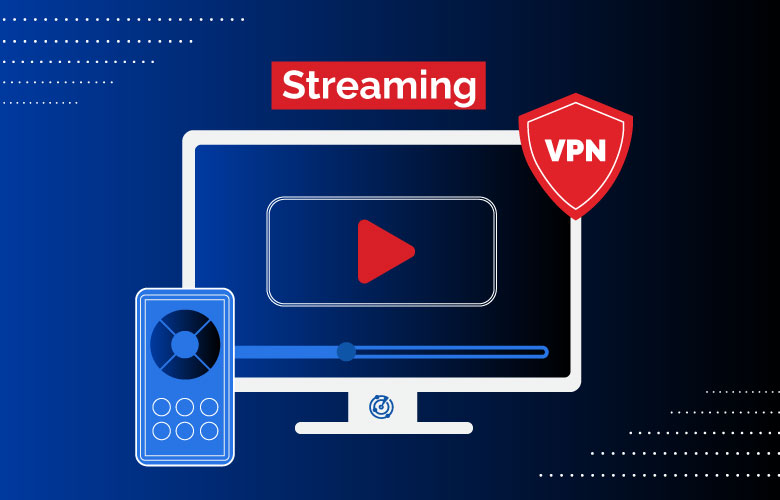
IPTV has become one of the most popular ways to watch live TV sports, movies, and on demand content over the internet. While a reliable IPTV service is essential, many users also choose to use a Virtual Private Network (VPN) to enhance privacy and protect their internet traffic.
A VPN encrypts your internet connection and routes it through a secure server, making it more difficult for third parties to monitor your online activity. It can also help provide a more consistent connection in some network environments, though performance depends on factors such as your internet provider, the VPN server, and the IPTV service itself.
In this guide well review the best VPNs for IPTV streaming, explain the features that matter most, and help you choose the right option for your streaming needs.
What Is a VPN?
A Virtual Private Network (VPN) creates an encrypted connection between your device and a VPN server.
Instead of sending your internet traffic directly to websites or streaming services the VPN securely routes your data through its network before it reaches its destination.
This helps improve privacy on public Wi-Fi reduces exposure of your IP address to websites you visit and protects data while it is transmitted across the internet.
Benefits of Using a VPN for IPTV
Using a VPN with IPTV offers several potential advantages.
Improved Privacy
A VPN encrypts your internet traffic, making it more difficult for others on the network to inspect your online activity.
Enhanced Security
Encryption helps protect your connection when using public Wi-Fi networks in locations such as hotels, airports, and cafés.
Global Server Network
Many VPN providers offer servers in dozens of countries, allowing users to connect through different locations. Keep in mind that you should comply with the terms of your IPTV provider and applicable laws when choosing server locations.
Reduced ISP Visibility
A VPN encrypts traffic between your device and the VPN server, limiting what your internet service provider can directly inspect. However, your VPN provider can still see certain connection metadata according to its policies.
Multi-Device Support
Most premium VPN services work across multiple platforms, including:
- Android TV
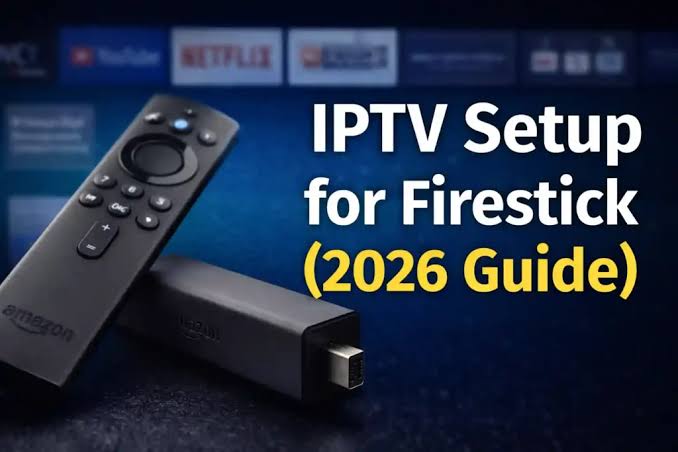
- Fire TV Stick
- Windows
- macOS
- Linux
- iPhone
- Android smartphones
- Smart TVs
- Routers
Everything you need to know about IPTV devices and apps is covered in our Ultimate IPTV Guide 2026.
Features to Look for in an IPTV VPN
Not every VPN is equally suitable for streaming.
Fast Speeds
Streaming HD and 4K content requires a stable, high-speed connection. Look for VPN providers known for maintaining strong performance across nearby servers.
Large Server Network
More servers generally provide greater flexibility and reduce the likelihood of congestion.
Strong Encryption
Modern VPNs typically support secure protocols such as WireGuard, OpenVPN, or IKEv2 along with strong encryption standards.
No Logs Policy
Many users prefer providers that publicly state they do not retain logs of browsing activity. Review each provider’s privacy policy to understand what data is collected.
Kill Switch
A kill switch can automatically stop internet traffic if the VPN connection unexpectedly drops, helping prevent traffic from leaving your device outside the encrypted tunnel.
Easy to Use Apps
Simple setup is especially important for devices such as Firestick and Android TV.
Best VPNs for IPTV Streaming
1. NordVPN
NordVPN is one of the most popular VPN services for streaming thanks to its combination of speed, security, and a large global server network.
Key features include:
- High speed WireGuard based protocol
- Thousands of servers worldwide
- Kill switch
- Split tunneling on supported platforms
- DNS leak protection
- Apps for nearly every major device
It is well suited for users who stream IPTV regularly and want an easy to use interface.
2. ExpressVPN
ExpressVPN is known for its reliable performance and beginner-friendly applications.
Highlights include:
- Fast server connections
- Strong encryption
- Broad device compatibility
- Router support
- 24/7 customer support
Its intuitive interface makes it a good choice for users new to VPN software.
3. Surfshark
Surfshark offers excellent value by allowing unlimited simultaneous device connections under one subscription.
Notable features include:
- Unlimited devices
- WireGuard support
- CleanWeb feature
- Kill switch
- Large server network
It is ideal for households with multiple streaming devices.
4. CyberGhost
CyberGhost provides an easy setup process and a wide selection of servers.
Advantages include:
- User friendly interface
- Optimized streaming servers
- Strong security features
- Automatic Wi-Fi protection
It is especially appealing for beginners.
5. Private Internet Access
Private Internet Access (PIA) focuses on customization while maintaining strong privacy features.
Features include:
- Extensive server network
- Advanced configuration options
- WireGuard and OpenVPN support
- Built in kill switch
It is well suited for experienced users who enjoy adjusting advanced settings.
VPN Comparison Table
| VPN | Speed | Server Network | Simultaneous Devices | Best For |
|---|---|---|---|---|
| NordVPN | Excellent | Large | Multiple | Overall performance |
| ExpressVPN | Excellent | Large | Multiple | Simplicity |
| Surfshark | Excellent | Large | Unlimited | Families |
| CyberGhost | Very Good | Large | Multiple | Beginners |
| Private Internet Access | Very Good | Extensive | Unlimited on supported plans | Advanced users |
Free vs Paid VPNs
Many users wonder whether a free VPN is enough for IPTV streaming.
Free VPN services often come with limitations such as slower speeds, fewer server locations, bandwidth caps, or reduced feature sets.
Paid VPN providers generally offer:
- Faster performance
- Better customer support
- More server locations
- Stronger security features
- More frequent updates
- Better compatibility with streaming devices
If you stream IPTV frequently, a paid VPN typically provides a more consistent experience.
How to Set Up a VPN for IPTV
Installing a VPN is usually straightforward.
First, subscribe to your preferred VPN provider and install its application on your streaming device.
Next, sign in to your account and connect to a suitable server location.
After the VPN connection is established, launch your IPTV application and begin streaming as usual.
Always follow your IPTV providers terms of service and the laws applicable in your location.
Tips for Better IPTV Streaming
To maximize streaming performance:
- Use the nearest available VPN server when appropriate.
- Maintain a high speed internet connection.
- Restart your streaming device occasionally.
- Keep both your VPN app and IPTV app updated.
- Use Ethernet instead of Wi-Fi if your setup supports it.
- Close unnecessary background applications.
These practices can help improve overall streaming stability.
Frequently Asked Questions
Do I need a VPN for IPTV?
Not necessarily. IPTV can work without a VPN. Some users choose to use a VPN for added privacy, security on public networks, or other legitimate networking reasons.
Will a VPN make IPTV faster?
A VPN does not inherently increase internet speed. In some situations it may improve routing or reduce certain network issues, while in others it can slightly reduce speed because of encryption. Results vary depending on your connection and VPN provider.
Can I use a VPN on Firestick?
Yes. Most major VPN providers offer dedicated applications for Amazon Fire TV Stick.
Which VPN is best for Android TV?
NordVPN, ExpressVPN, Surfshark, CyberGhost, and Private Internet Access all provide Android TV applications with features suitable for streaming.
Is it legal to use a VPN with IPTV?
In many countries, using a VPN is legal. However, laws vary by jurisdiction, and using a VPN does not make unlawful activity lawful. Always comply with local laws and your IPTV providers terms of service.
Conclusion
Choosing one of the best VPNs for IPTV streaming can enhance your online privacy, secure your internet connection, and provide a reliable experience across devices such as Firestick, Android TV, smartphones, and computers.
When selecting a VPN, prioritize speed, security, server availability, ease of use, and transparent privacy practices. Providers such as NordVPN, ExpressVPN, Surfshark, CyberGhost, and Private Internet Access each offer strengths for different types of users.
For the best streaming experience, pair a reputable VPN with a legitimate IPTV service, maintain a stable internet connection, and keep your software updated. This combination helps create a secure and dependable environment for enjoying IPTV content.